
Week 1: field forms, webhooks, and a design system
Blok is a tool for running a construction business — projects, crews, customers, field data, and the paperwork that ties them together. We're building it in the open and posting what we ship each week. Here's week one.
Forms your crew can fill with no signal
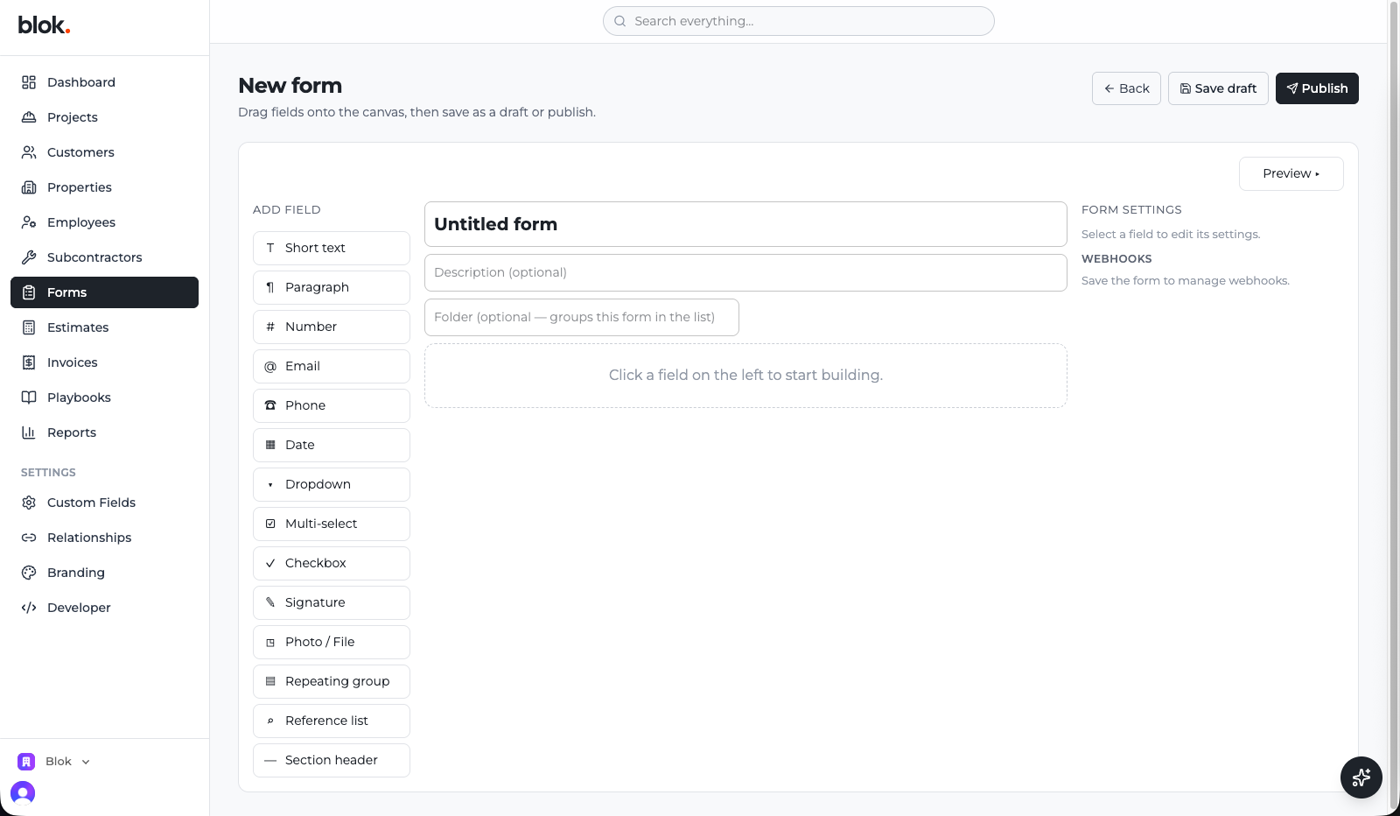
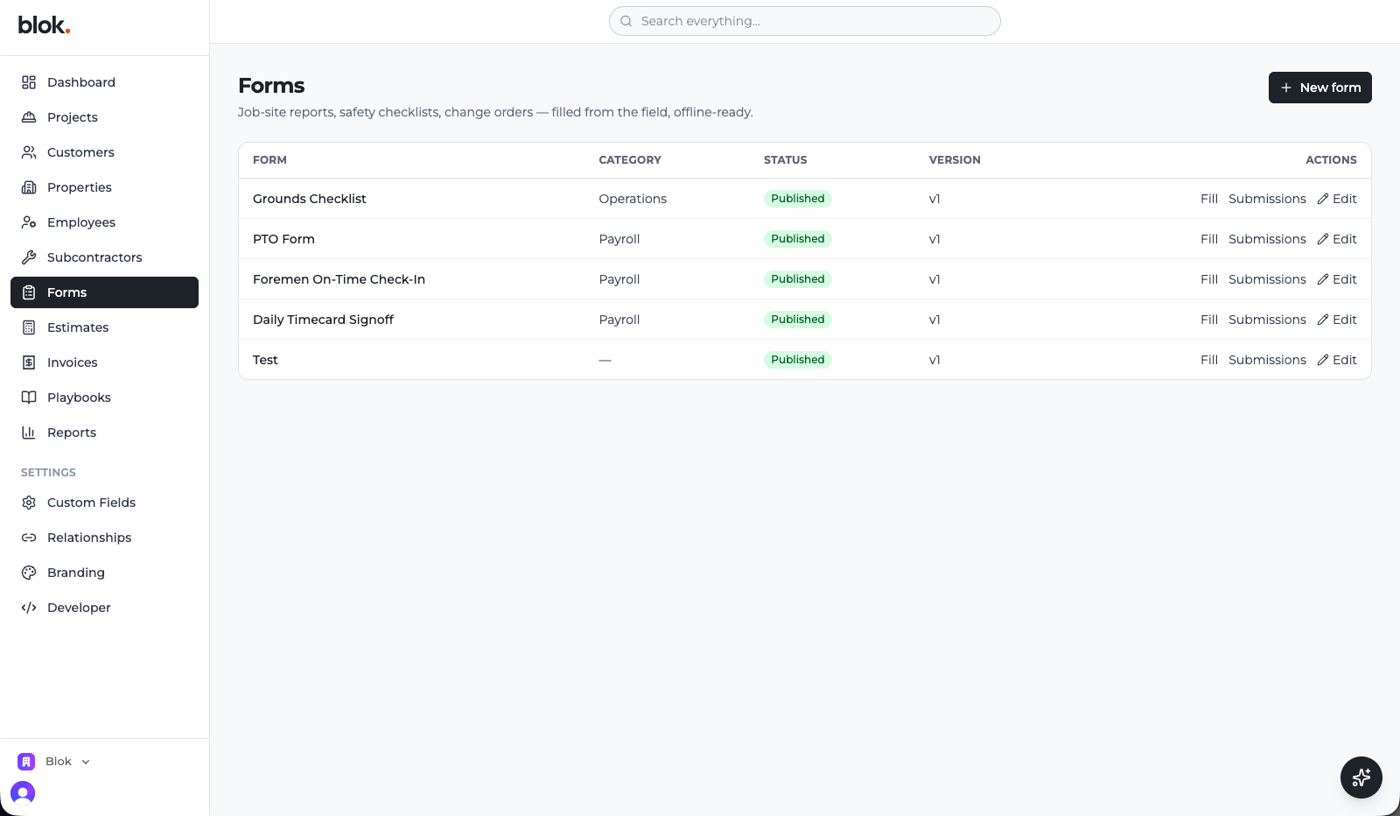
The main thing this week: a forms module for job sites. You build a form by dragging fields onto a canvas — inspections, safety checklists, daily logs — with text, photos, signatures, dropdowns, and repeating sections. Crews fill them on a phone, and it works with no signal: submissions sit on the device and sync when coverage comes back, landing on the right project on their own.
Forms are versioned too. Publish v1, change it to v2, and old submissions still show what the crew was actually asked at the time — which matters more than it sounds the first time a question comes up months after a job closed.
Blok can talk to other systems
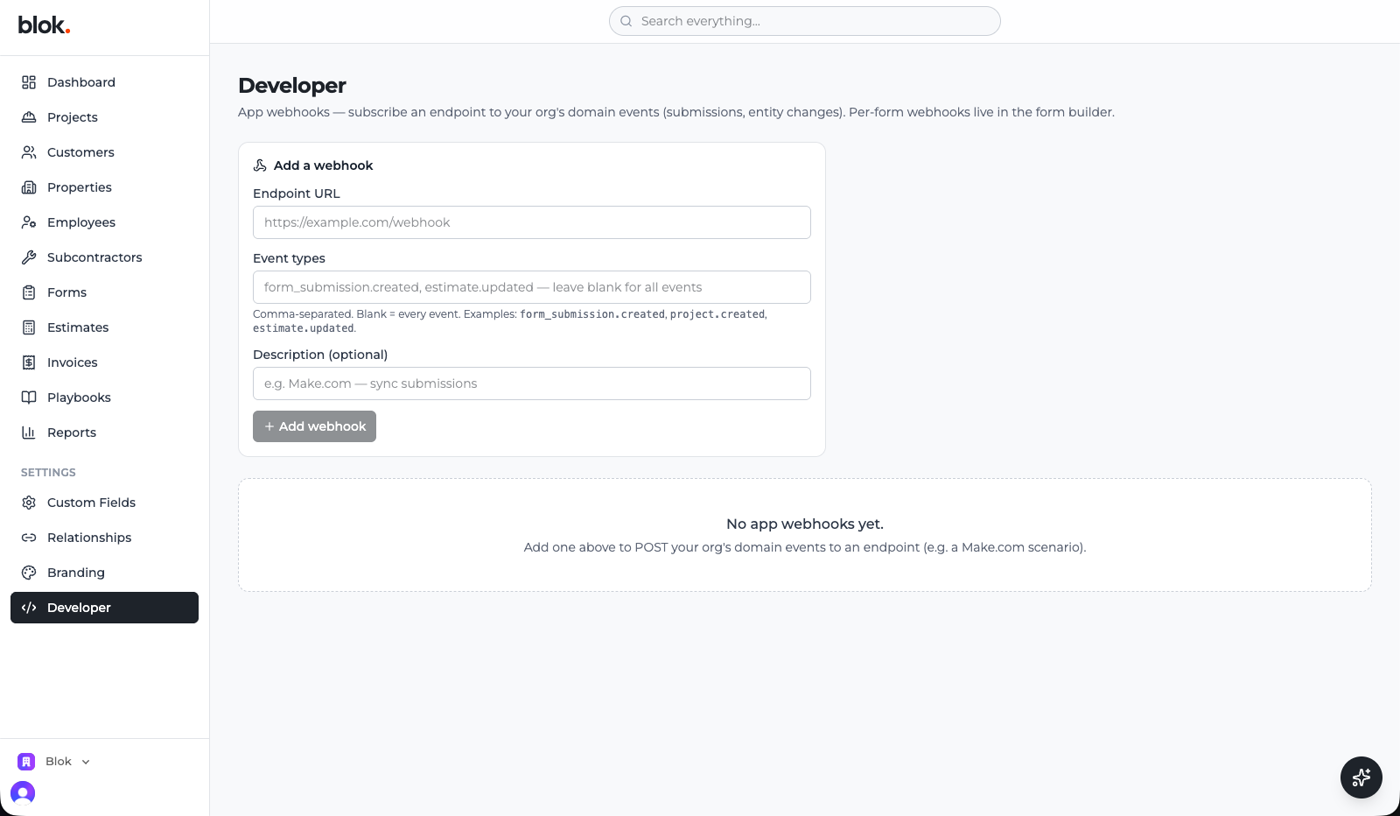
When something happens in Blok — a form comes in, a project changes — it can now tell an outside system right away. There's a settings page for these connections, each form can have its own, and Blok retries if the other end is down. It's the plumbing the integrations ride on: email alerts, accounting handoffs, automations.
An AI assistant, right in the app
There's a chat assistant in the corner of every screen now. Ask it about your data — "how many projects are overdue?" — or have it do something, and it works through a set list of actions rather than touching the database directly. The same actions are available as a standard endpoint, so outside AI tools can connect too. It's early, but it's the start of Blok handling routine work by chat.
Work orders, the start
The work-order foundation landed: a dispatch queue, multi-stage work-order forms, and the beginning of a "My Work" view. You create a work order and move it from requested to assigned to scheduled to done — that path is what we're building on next.
Every company can make Blok its own
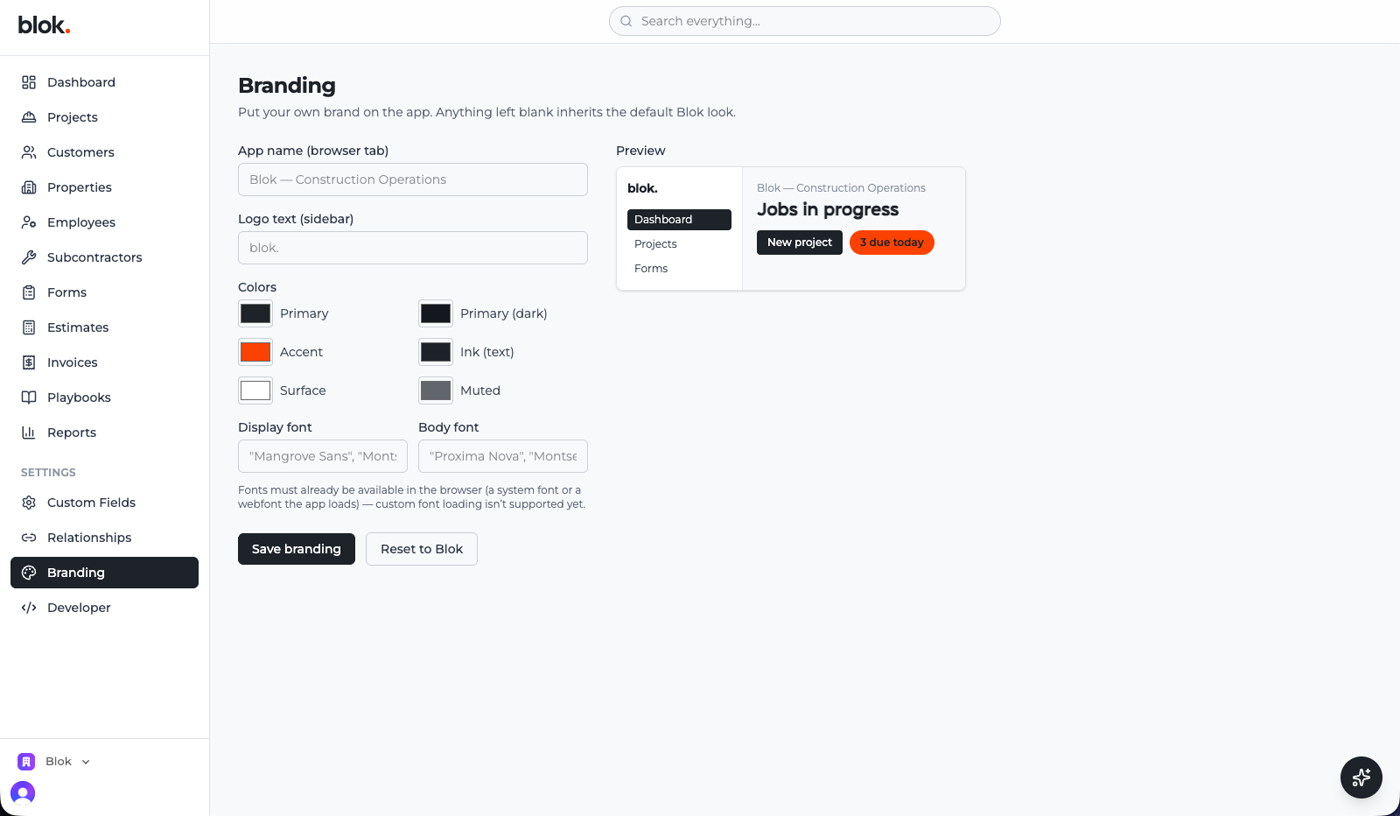
Blok can wear your brand instead of ours. A settings page lets you set your own app name, logo, colors, and fonts, with a live preview — anything you leave blank falls back to the default look. Underneath, a "blueprint" can set up a whole org's fields, relationships, and forms in one go, so a new company is up and running in minutes.
A home screen for each person
The home page is now a dashboard each person arranges themselves — drag the numbers, charts, and lists you care about into place and it stays put. The office sees the money; a project lead sees their jobs. No screenshot this week (ours is full of real data), but it's already a favorite.
Formulas in your tables
Custom fields can be formulas now — margins, totals, and other calculated values that update on their own, with the same math engine everywhere. Tables also got search, filters, and smooth scrolling through long lists. The side-spreadsheet math moves into the app and stays current on its own.
Blok's got its brand
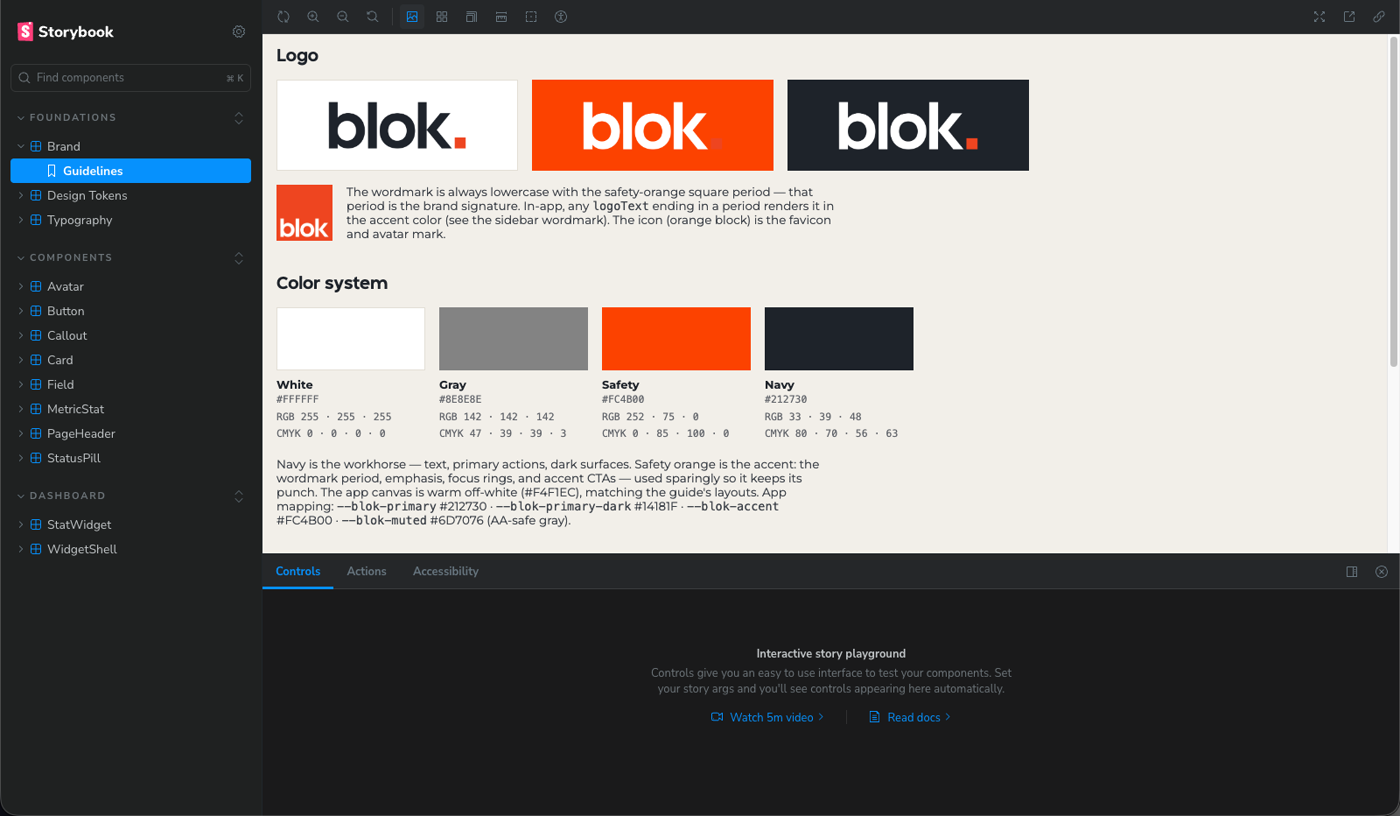
The whole app put on the Blok brand — navy, safety orange, the wordmark — and the design system underneath was rebuilt on those exact colors and type. Every screen pulls from one shared library, so it matches and stays that way.
Under the hood
A few things you can't screenshot. We finished a review of moving Blok's backend to a different platform — scored on cost, capability, and how easy it is to run, against working prototypes — and decided to stay put, so there's no rebuild hanging over the roadmap. The API moved onto the same network as the app: fast everywhere, scales on its own, no servers to babysit. And Blok ships its own docs now — API reference, webhooks, module guides — so developers and the AI can look things up themselves.
Next week
- Work orders, next layer — the assign, schedule, and complete part on top of the foundation that just landed.
- Right data for the right person — sensitive fields the office sees and the field doesn't.
- The assistant, for real — putting the AI helper onto real work.