
Week 5: work orders round two, and filters that stopped competing
Work orders got a second pass — naming an approver, and closing out a job whose paperwork came in separately. Filtering was pulled back into a single panel after the header had grown three of them. And the help text we added last month became something each company can rewrite.
Filtering in one panel
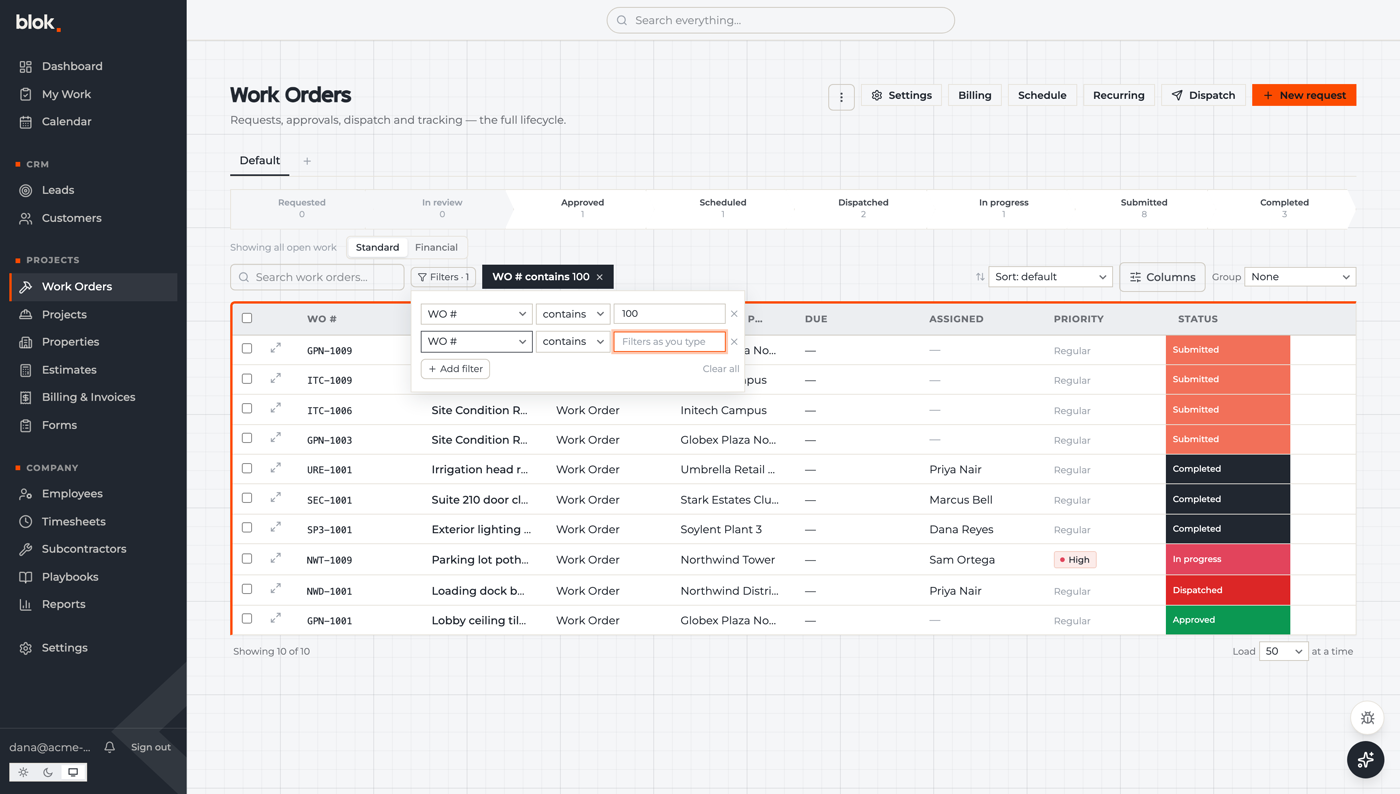
The work-order header had three ways to narrow the list running at once: the lifecycle strip, the saved-view tabs, and a row of six quick-filter dropdowns. The quick-filter row is now hidden. The wiring is still there, so it can come back if we're wrong about it.
Filtering moved into a panel that works the same way on every board. Each filter is a row with its own field, operator, value and remove button. There's an add button, a clear-all, a count on the panel trigger, and a chip for each applied filter so you can see what's narrowing the list without opening anything. A filter with an empty value doesn't filter, rather than sitting there looking like it does.
One rough edge we found writing this post: picking a field or operator from a row's dropdown closes the panel. Typing a value is fine, and filters you've already applied stick. It's first on the list for next week.
Work orders, round two
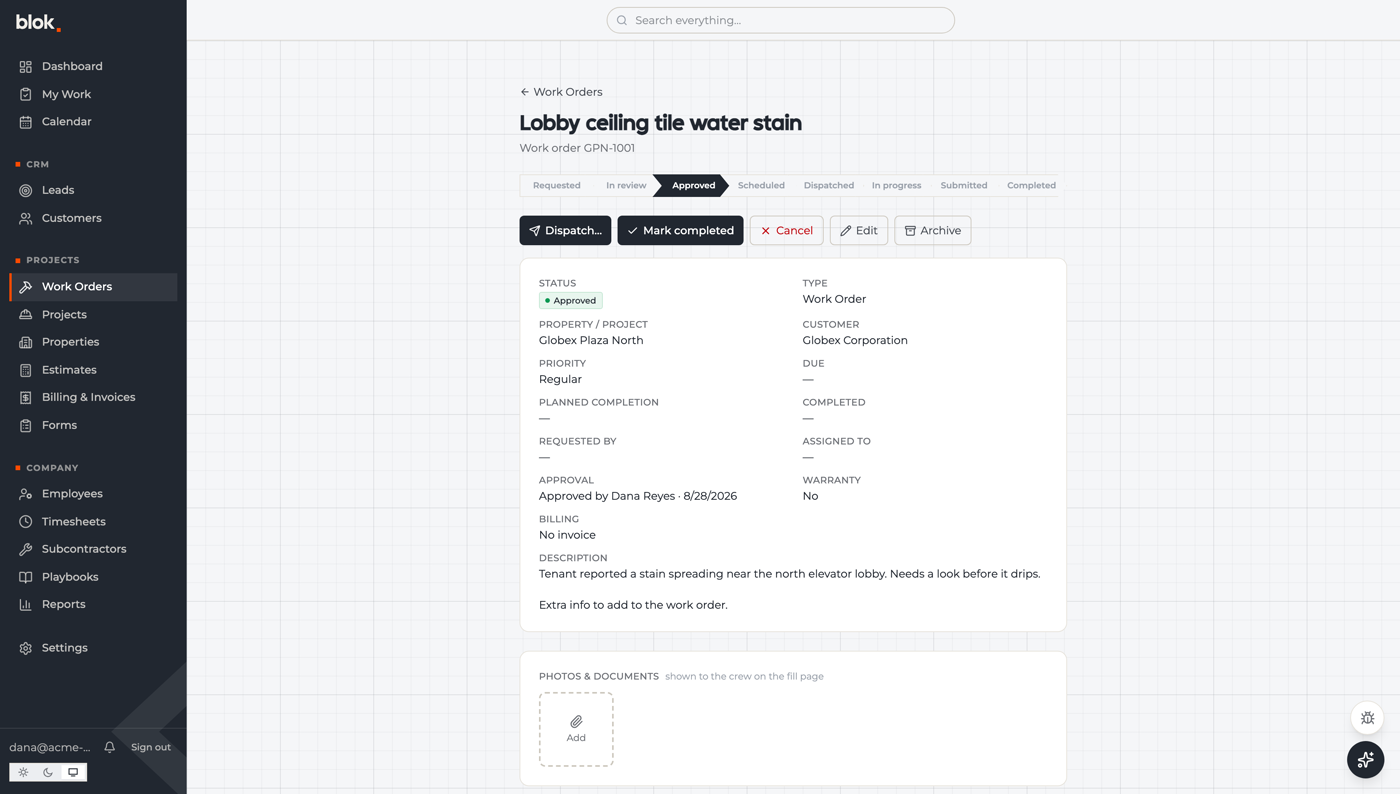
A request can name who should approve it. You pick from the office and admin staff, or leave it on anyone in the office. The person you pick gets a notification with a link straight to the request. It's a hint about who should look, not a lock — the approval queue stays open to everyone who could already use it.
You can now close out a job whose work is already done. If the crew filled the form on its own rather than through the work order, mark the order complete and pick the matching submission from a list. Blok links the two before it pulls the billable lines off the form, so nothing is lost. You can add a note while you're there, and if there's no submission to match, it says so instead of pretending.
The job page also picked up the board's lifecycle strip, so you can see where something sits without going back to the list, and submissions got a Back button that returns where you came from.
My Work folds up
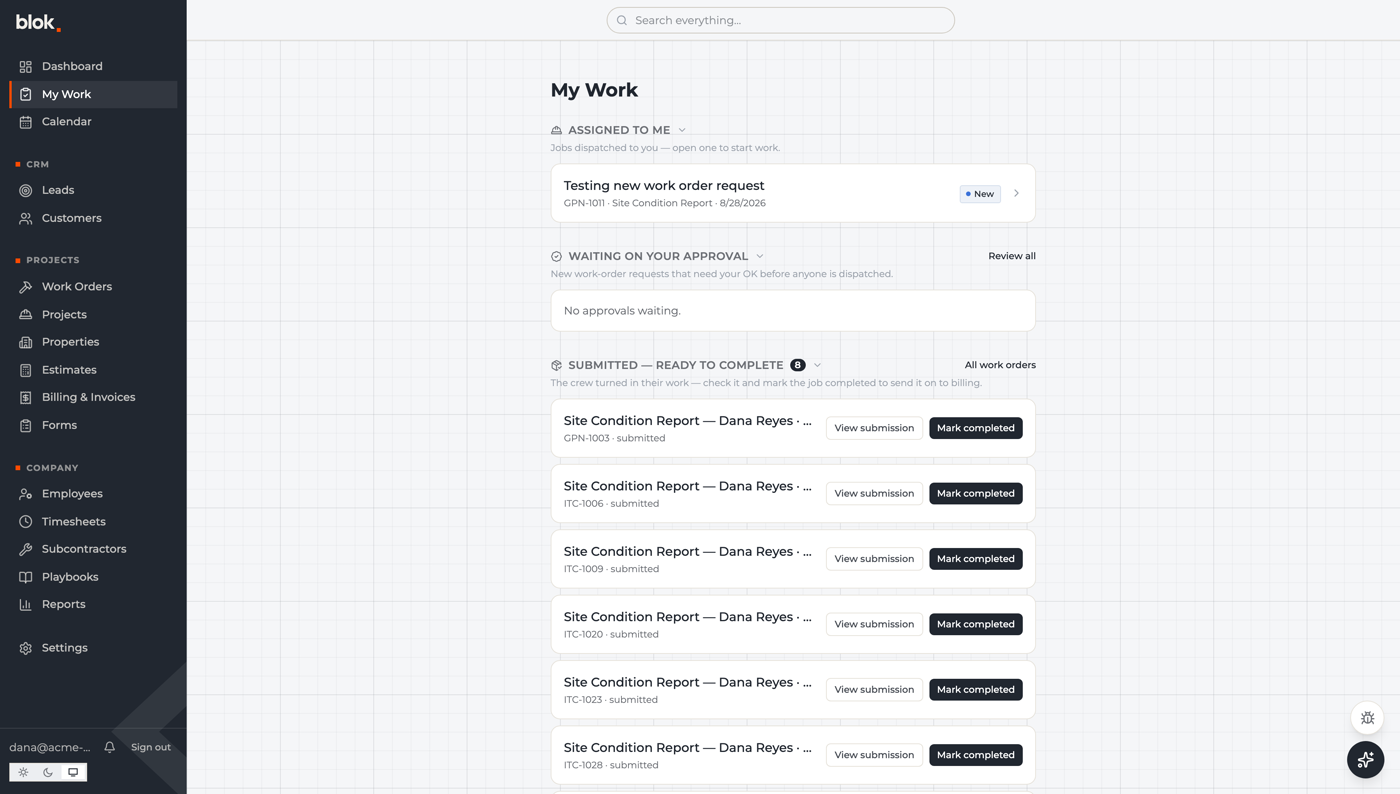
All four My Work sections collapse, and each person's choice sticks between visits. That's on top of the automatic roll-up that already folds a long section into a count.
The links out of it go somewhere useful now. Submitted work used to link to a review page that says nothing for forms without a review step; those links go to the submission itself, and the review page forwards you there when it has nothing to show. On a phone, where a work-order row has no open link, the confirmation before marking a job complete now leads with the job: number, title, property, who submitted it and when.
The help copy is yours to rewrite
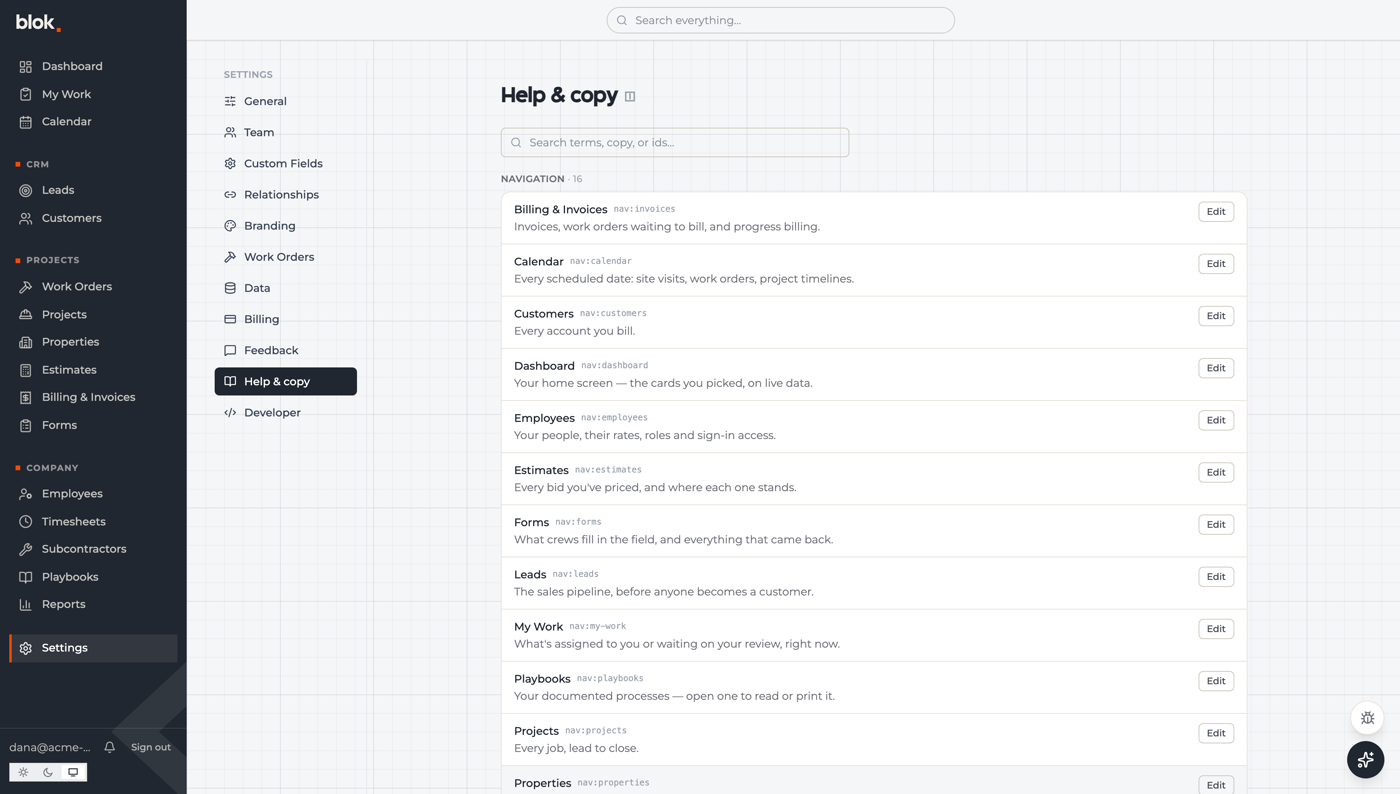
Settings pages dropped their printed subtitles. The same words now sit behind a small info icon next to each title — hover for the short version, click for more.
Behind that, a new settings page lists roughly two hundred help entries with search across terms, copy and identifiers. Reword any of them for your company, or reset one to how Blok ships it. Those edits also change what the in-app assistant and any connected AI tools read, so the vocabulary stays consistent.
Recurring orders and billing lines
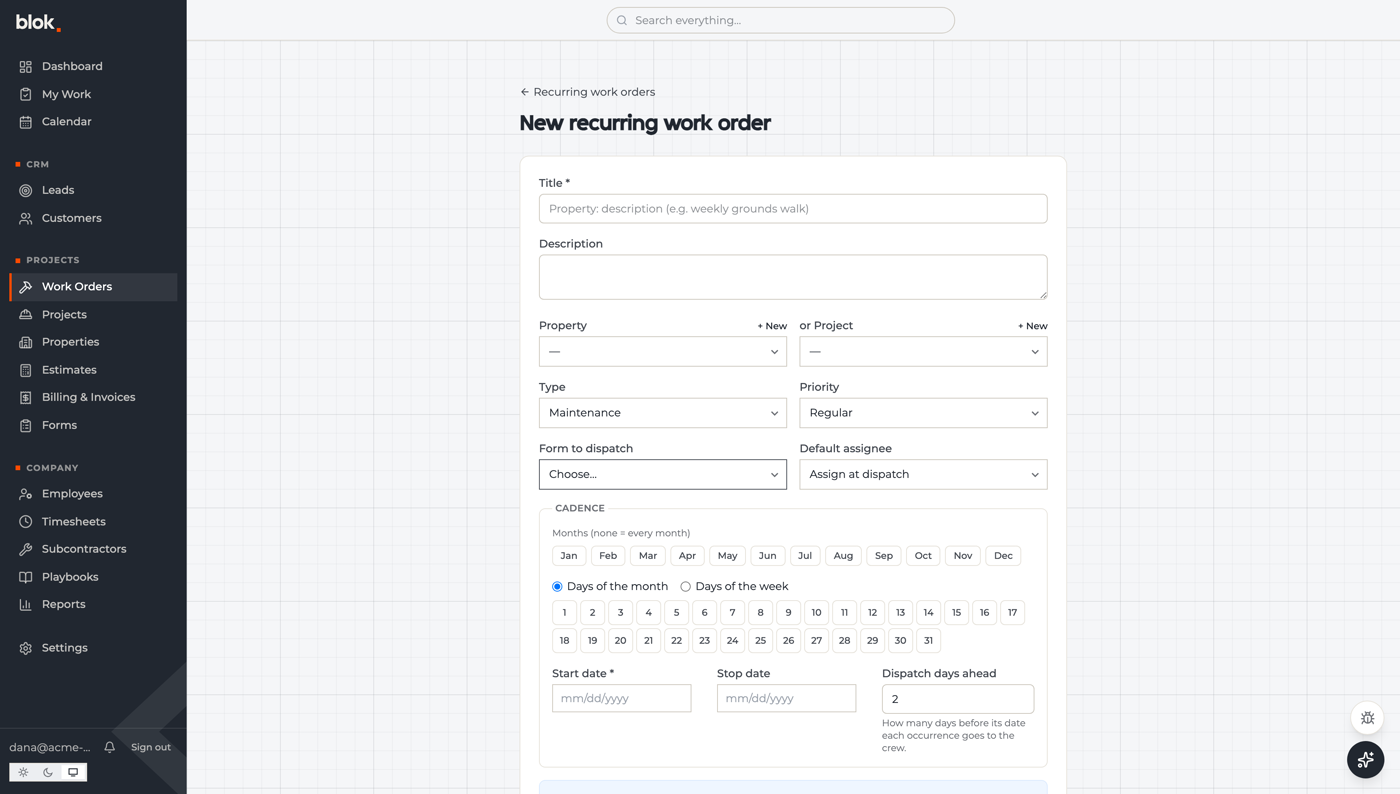
Recurring work got a cleanup: search and a status filter on the list, a table that fits its window, and the word “template” replaced with “recurring work order” throughout. Each one now sets how many days ahead of its due date a job goes out to the crew. That used to be fixed at two days for everybody; existing ones keep two until someone changes them.
Labor and material lines on a work order are editable in place. A line that came off a form and was then changed by hand says so. Picking an employee fills in their wage rate. Once the order is invoiced the whole panel locks, and voiding the invoice unlocks it.
Status descriptions are editable per company and show under each option when you change a status. Invoicing became a column on the work-order board that you can group by. And bad estimate or invoice links show a plain “not found” instead of database jargon or a spinner that never stops.
Under the hood
Around a hundred and ten browser-default dropdowns across thirty-seven files moved onto our own control, and a build check now fails if anyone adds a raw one back. Long reference lists like customers and employees deliberately stay on the native control, which copes better with hundreds of rows.
Charts stopped reading whole tables. A chart that counts or sums grouped by a column now asks the database for the grouped numbers and gets a few hundred bytes back, instead of pulling up to two thousand rows into the browser and adding them up there. Calendar and time-based charts keep the old path, and any error falls back to it, so nothing can stop drawing.
The forms engine shipped three releases: readable field identifiers in the builder, every field on a fill page properly labelled for screen readers, a required-questions dialog that closes on Escape and lists all five names instead of hiding one, and photos that upload as they're taken rather than all at once at the end.
Global search moves with the arrow keys and opens with Enter. The sign-in page now gives people who aren't set up with Blok a way to get in touch.
Next week
- The filter panel edge — fixing the dropdown that closes the panel out from under you.
- Phone dashboard — settling how much of it works on a phone, then building it.
- Submissions list, round two — status filtering and the controls we left out.
- Approvals by email — approve or decline from the message, with signed one-click links.