
Week 6: approvals from your inbox, a schedule you can steer, and access levels that hold
Last week's "next week" list said approvals by email. That shipped, along with a schedule that shows when work actually goes out and lets you move one date without touching the pattern — and the biggest one: access levels stopped being labels and became rules the database enforces.
Approve or deny from the email
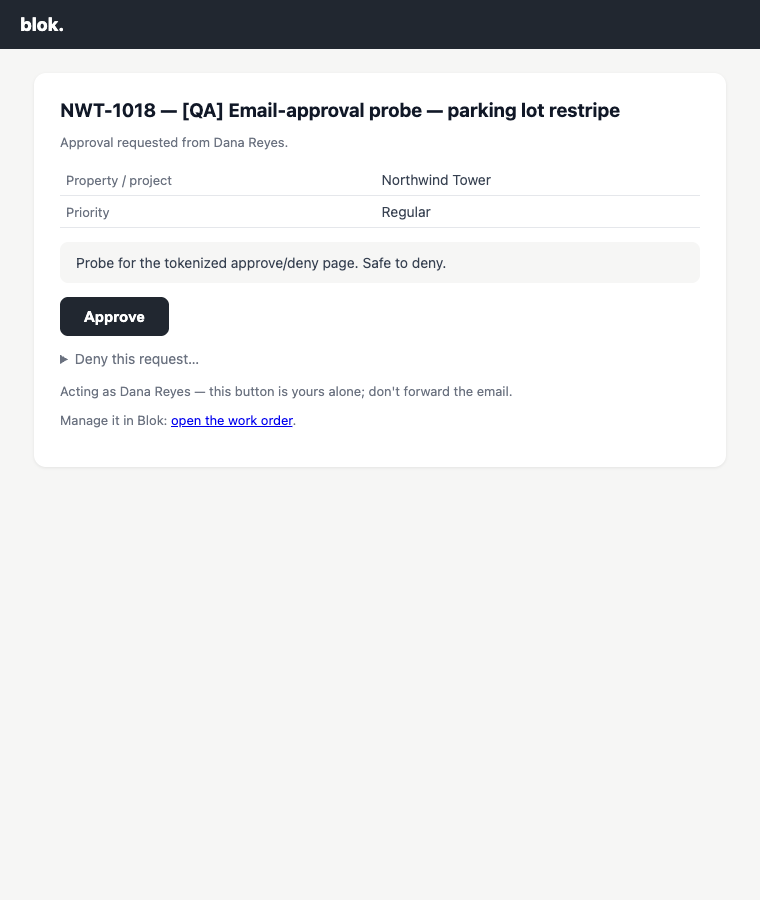
When a work-order request names an approver, that person gets an email with the job's facts and two buttons. The buttons open a page like this one; nothing happens until Approve or Deny is pressed there, which matters because corporate mail scanners open links in email — a decision should never be something a robot can make by prefetching.
The link is personal, works once, and expires after two weeks. Deny takes a reason the requester sees. If someone already decided in the app, the page says who and when instead of offering buttons. Either way the decision lands on the order's timeline, marked as made by email.
A schedule you can steer
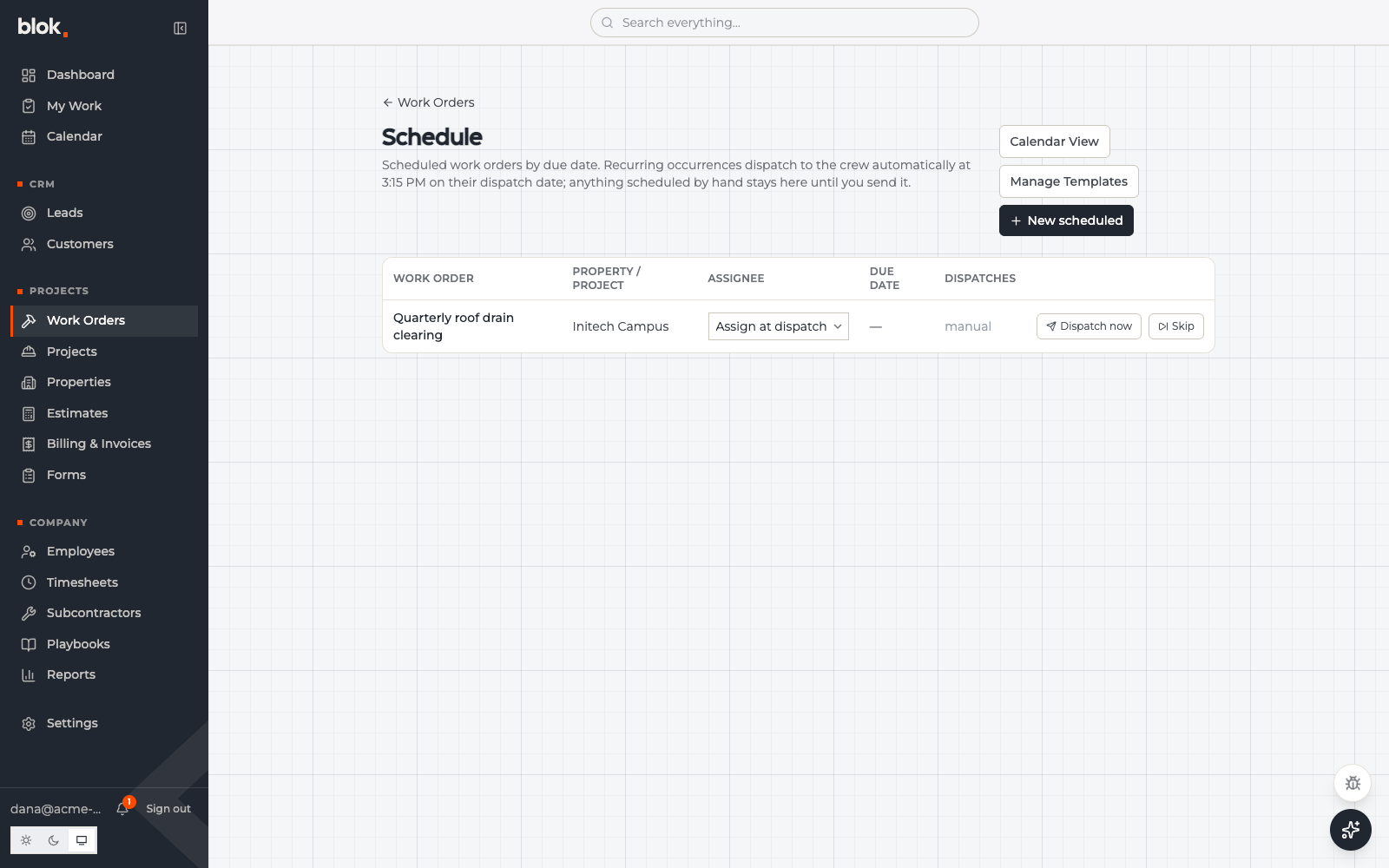
Scheduled work used to render as cards, and the one date the office plans around — when the job reaches the crew — wasn't on screen. It's a table now: due date and dispatch date side by side, an assignee picker on each row, and a link to the recurring order each job came from.
The dispatch date is editable per job. A storm pushes one visit out three days — you move that one job, the recurring pattern stays put, and a reset takes it back to normal. You can also add a one-time scheduled job straight onto this queue, with no recurring pattern behind it.
And a fix that mattered: archiving a recurring order now cancels its queued jobs immediately, with a confirmation that says how many. Before, they stayed queued and kept going out to the crew after the pattern was retired.
Invoices start on the board
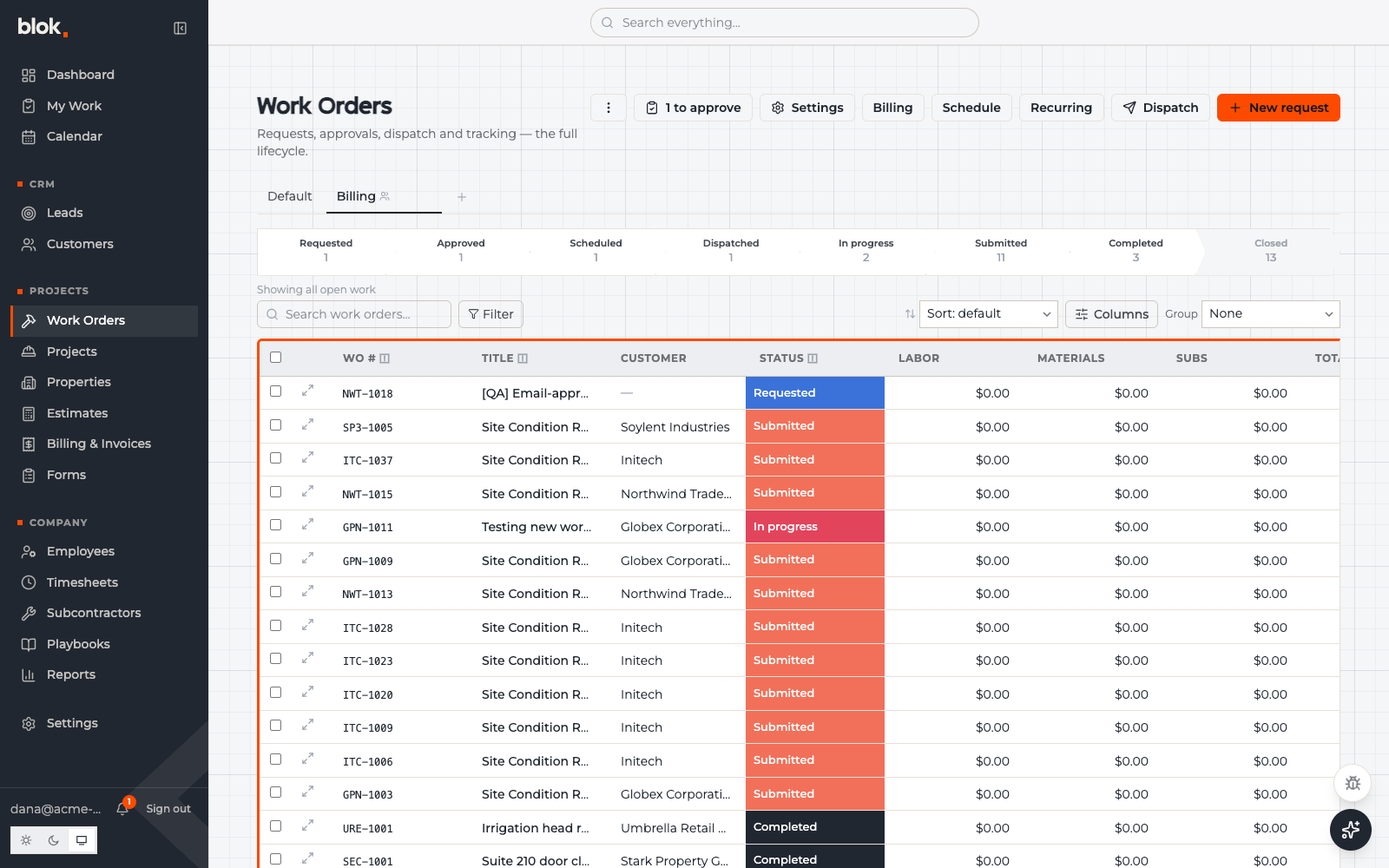
Select finished work orders on the board and press Create Invoice. The selection is checked before the dialog opens — everything has to be billable and belong to one customer, and if a row isn't, the message names which one and why. The invoicing chip on each row opens the invoice itself, and grouping by invoicing splits the board by where each invoice stands: created, sent, paid.
The board also reads more evenly. Priority and invoicing chips now fill the row height exactly like the status chip instead of floating at three different sizes, and every column header carries a small info mark with its one-line, company-editable definition.
Access levels the database enforces
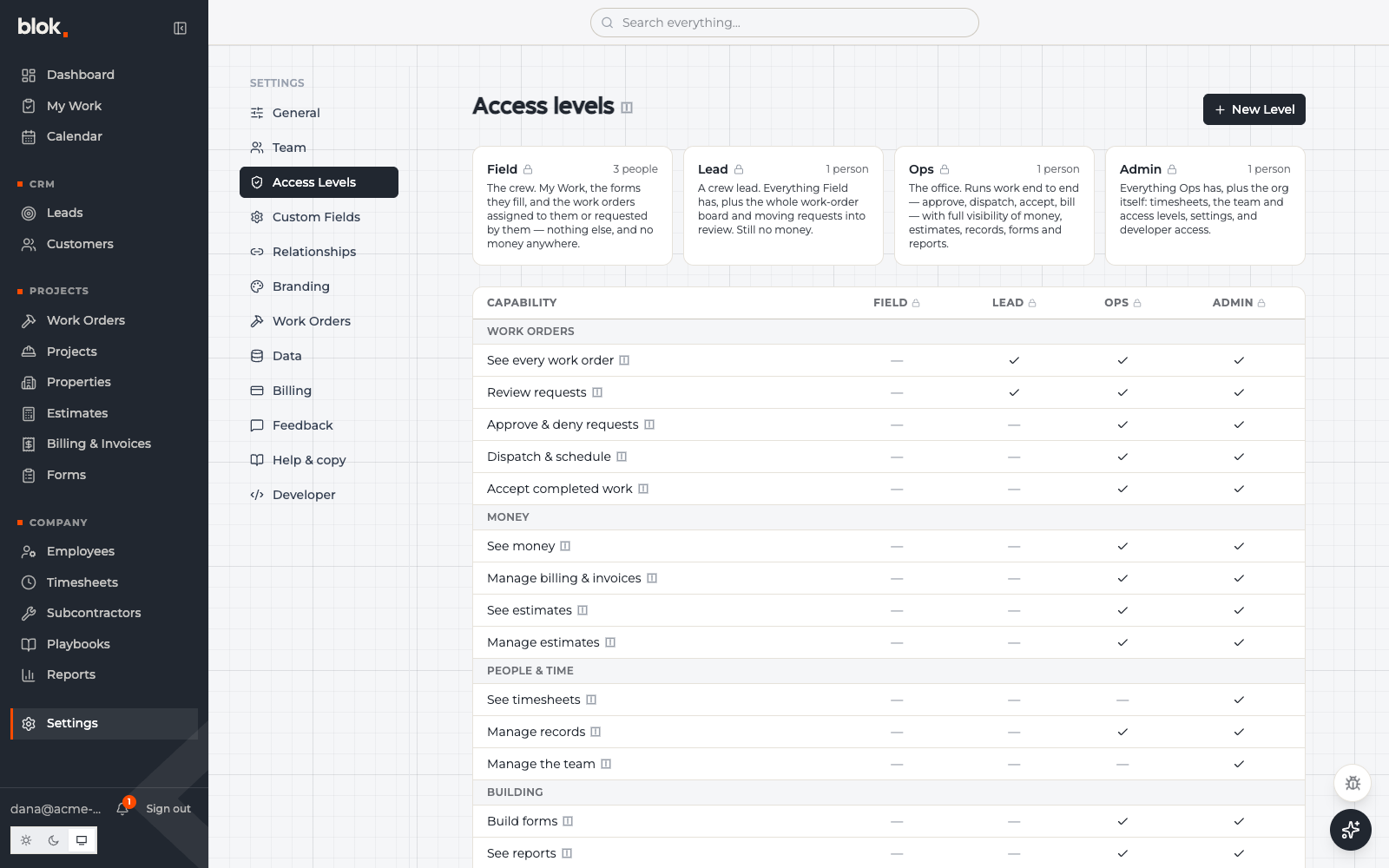
Blok has had Field, Lead, Ops and Admin labels on people for a while. The honest version: until this week they mostly changed what the screen drew. This week they became rules the database itself enforces. A field crew login sees My Work, their forms, and the jobs assigned to them — and cannot reach a cost, a rate, or an invoice by any route, including the ones that bypass the screen.
The new settings page is documentation and control panel in one. Four cards say in plain words what each level sees; the matrix below is generated from the same capability rules the enforcement uses, so the page can't say one thing while the app does another. And companies can define their own levels by duplicating a built-in — a bookkeeper who sees money but never dispatches, an estimator who prices work without touching invoices.
We verified it the blunt way: created a field-level login and an office-level login and tried to break out of each. The field login got zero rows of anything financial and only its own work; the office login got money but not timesheets; neither could quietly upgrade its own level — which, we found, used to be possible. Closed.
Feedback takes dictation
The feedback dialog in the app grew a Dictate button — talk, watch it type, edit, send. Nothing is recorded or stored; browsers without speech support just don't show the button. A video-link field rides along for a screen recording, and the admin side gained filters and four charts showing the shape of what's been filed.
Under the hood
Every person's access level now travels inside their signed session token, so the database can check permissions without a lookup on every query. API credentials carry the same capability grants as people and can be tightened per key.
The forms engine shipped a hardening release: the offline store no longer throws an error when you leave the fill page right after submitting. The counter that tells a crew member how many submissions are stuck should never be the thing that crashes.
The sidebar's hover actions moved behind a small per-row menu with room for more actions later, and the last browser-default dropdowns on the request form moved onto our own control.
Next week
- Access, phase two — menus and pages follow the levels everywhere, not just the data underneath.
- Punch lists — repeating groups in forms take dropdowns and photos per row.
- A polish round — faster hover tips, wider tables, loading indicators, and back navigation as a rule.