
Week 3: timesheets, a rebuilt work-order board, and estimating that closes the deal
This one covers two weeks, and they were big ones: payroll timesheets went in end to end, the busiest screen in the app was rebuilt on our shared grid engine, and estimating grew from a list into the way a contractor actually sells work.
Timesheets that fill themselves
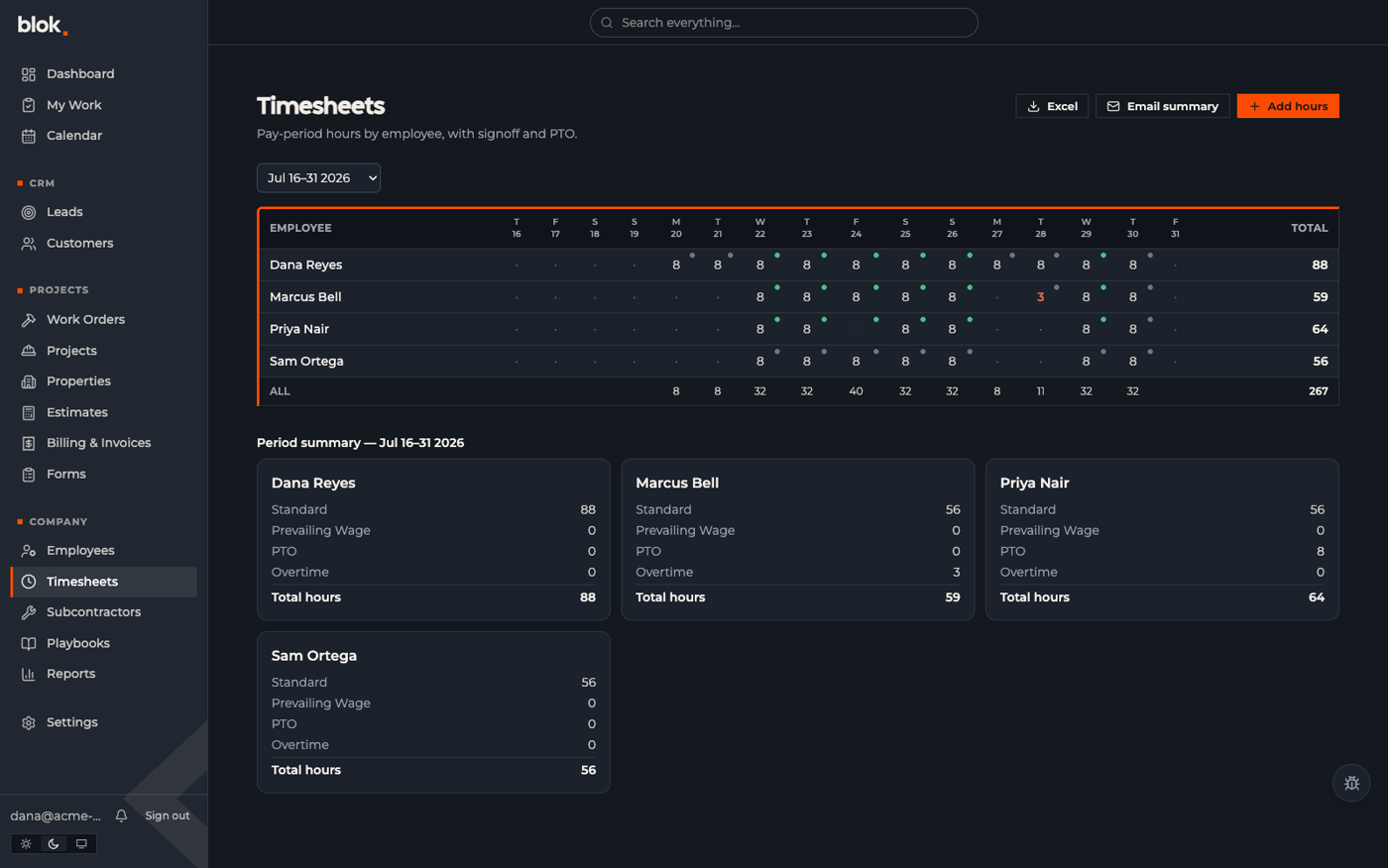
When a crew submits their work-order form, the hours on it land on the timesheet automatically — same day, before anyone reviews anything. The sheet shows each person's days across the pay period, with overtime, PTO and prevailing-wage hours tracked as their own categories. Green dots are next-morning signoffs: each employee attests to yesterday's hours from their phone, which matters when payroll gets audited. Click any cell and you see exactly which jobs those hours came from.
One button emails the pay-period summary to whoever runs payroll; another downloads the full Excel hour log. Hours only — pay math stays in the payroll system, where it belongs. And if you logged hours yesterday but haven't signed off, the app nudges you.
The part we're happiest about is what's not there: in the spreadsheet-style system this replaces, every employee was a block of columns — hiring someone meant editing the sheet itself, about ten columns per person. Here a new hire is just another row, forever.
The work-order board, rebuilt
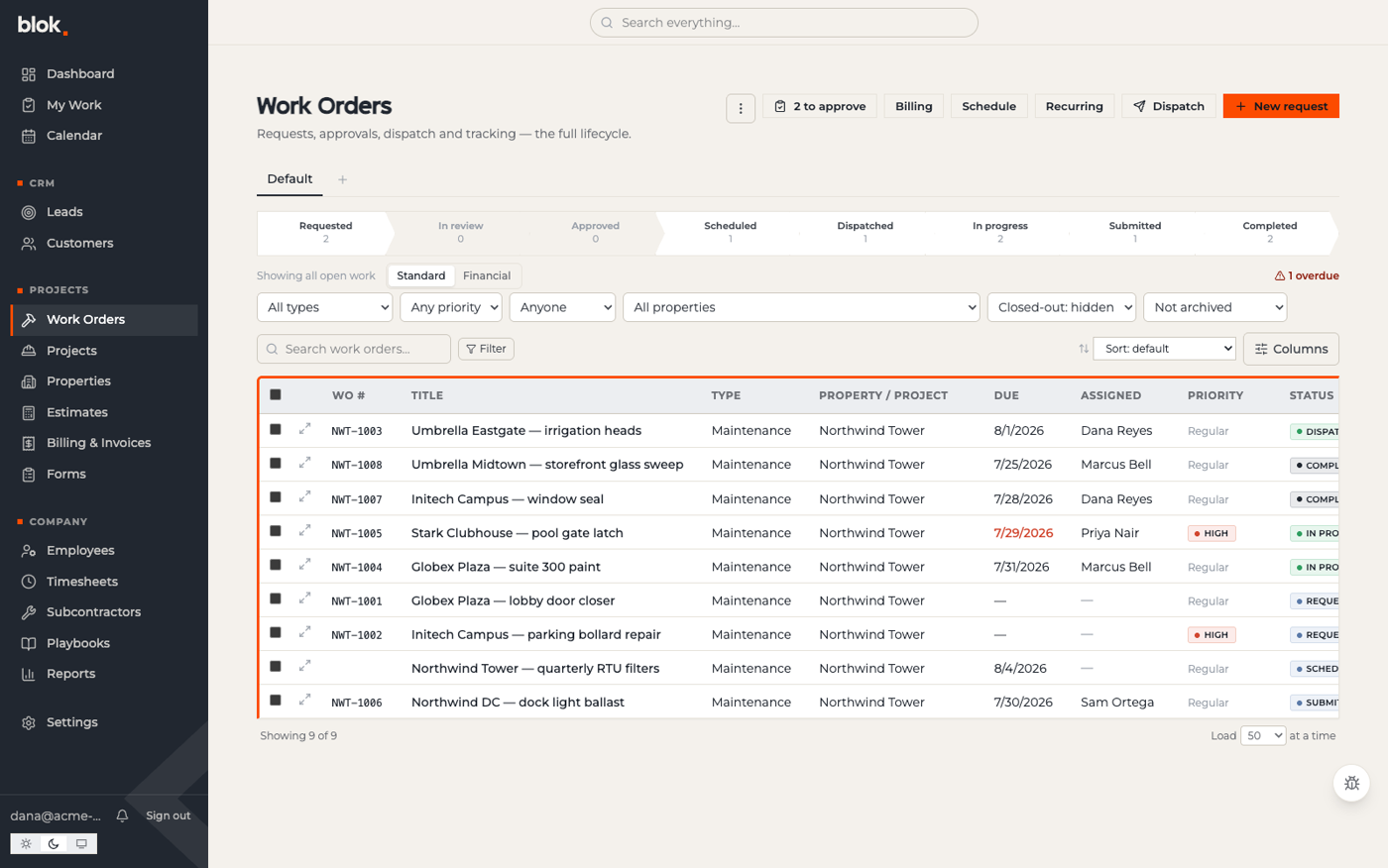
Work orders are the busiest screen in Blok, and until now they ran on their own bespoke table. They now run on the same grid engine as every other list: saved views you can share and star as the company default, drag-to-reorder columns, and filters and search that run against the whole board server-side. The stage counts along the top are always exact — the old page quietly only counted the first 500 rows — and archived work is one dropdown away instead of unreachable.
Rebuilding the riskiest page on shared rails also means every improvement to the grid — there were several this fortnight — lands on work orders for free from now on.
Estimating: sheet → bids → signature → project
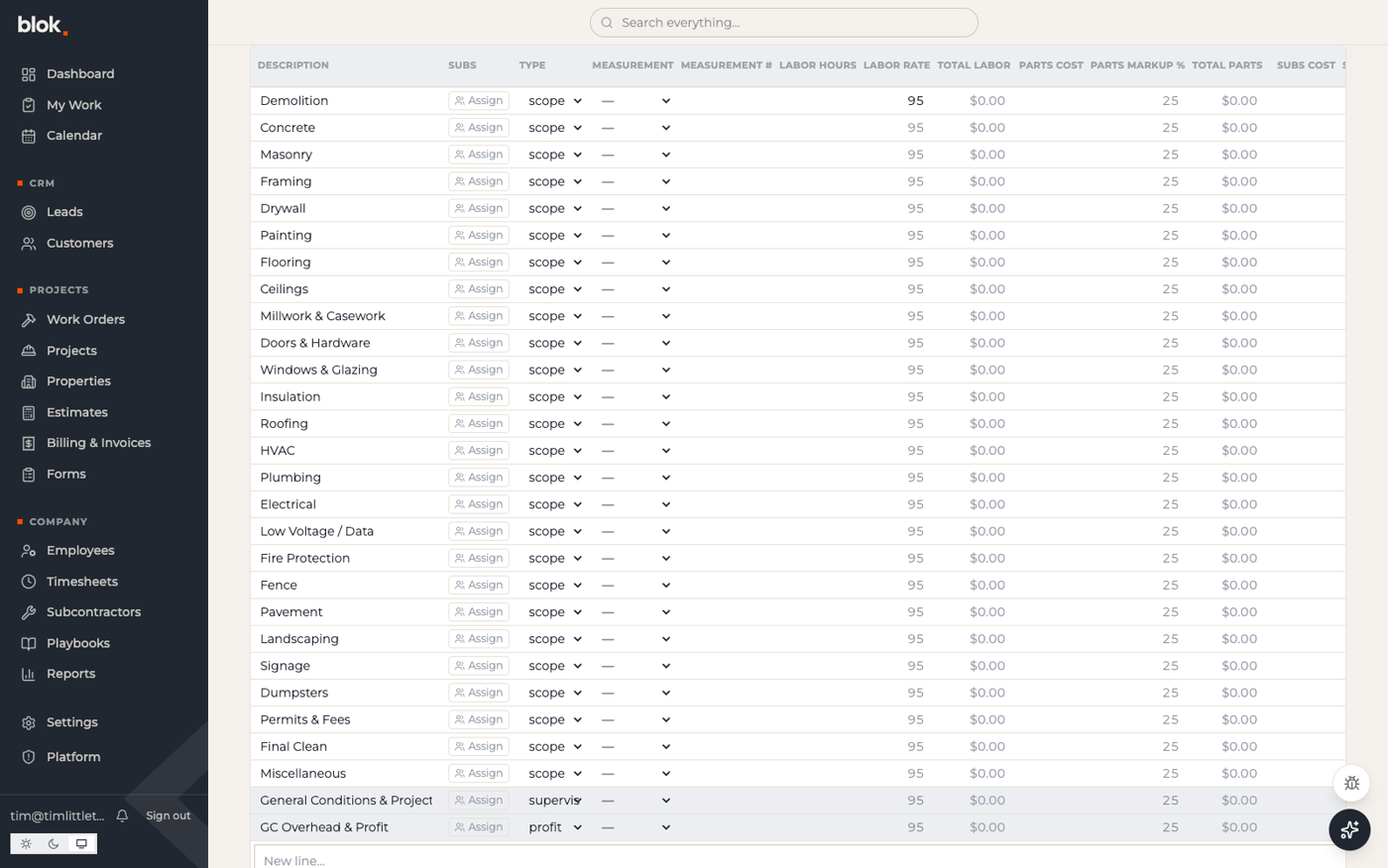
Open an estimate and apply a template: a full trade breakdown appears, with supervision and profit lines that calculate from percentages. Assign subcontractors to lines and send bid invites — each sub gets an email with only their scope and the site-walk details, clicks “I will bid,” and the pipeline tracks who answered (and, over time, who reliably does). The customer signs the contract with a real drawn signature on a public link from their phone. When the signature lands, the project can create itself with the whole scope of work attached. The customer-facing PDF shows exactly the fields you choose — costs and markups never leave the building.
Dates that behave
Every date field now opens a proper calendar — month and year are dropdowns, and you can just type 7/27, Jul 27, or tomorrow. A company-wide setting controls how dates display across the whole app, and typing follows the same convention: in day-first mode, 7/8 means the 7th of August.
Under the hood
Our own automated QA — an agent that browses the app daily and files findings into the feedback inbox — flagged odd numbers on a billing screen. The cause was a database view that bypassed tenant isolation on our test environment. It was fixed and verified the same day, every similar view was audited, and that check now runs the moment a new view is written. Building the safety net before there are customers on the wire is the whole point of this phase.
The forms engine that powers field paperwork also got a real release pipeline this fortnight — versioned, tagged, changelogged — and its renderer learned to accept a host app's own input controls, which is how the new date picker reached every form.
Next week
- Production, standing by — the production environment goes up quietly ahead of launch, so going live is a switch-flip, not a scramble.
- Import rehearsal — practicing the real data migration end to end.
- Plain language — a pass over the places where developer words still leak into the product.